JavaFX
JavaFX
- Java Platform zur Erstellung Graphischer Applikationen
- nicht in Java SE enthalten
-
Nachfolger von AWT und Swing
⚠️viele Klassen in mehreren Frameworks
Beim Importieren aufpassen!
import java.awt.Button;
import javafx.scene.control.Button;
Maven
- Verwaltet Sourcecode
- Struktur

- ProjectObjectModel
<project xmlns="namespace"
         xmlns:xsi="schemaInstance"
         xsi:schemaLocation="schemaURL">
    <groupId>at.htlstp</groupId>
    <artifactId>MavenProject</artifactId>
    <version>1.0-SNAPSHOT</version>

    <properties>
        <project.build.sourceEncoding>UTF-8</project.build.sourceEncoding>
        <javaFxVersion>13.0.2</javaFxVersion>
        <maven.compiler.release>14</maven.compiler.release>
    </properties>

    <dependencies>
        <!-- download -->
    </dependencies>
</project><dependencies>
<dependency>
<groupId>org.openjfx</groupId>
<artifactId>javafx-base</artifactId>
<version>13.0.2</version>
</dependency>
<dependency>
<groupId>org.openjfx</groupId>
<artifactId>javafx-controls</artifactId>
<version>${javaFxVersion}</version>
</dependency>
<dependency>
<groupId>org.openjfx</groupId>
<artifactId>javafx-graphics</artifactId>
<version>${javaFxVersion}</version>
</dependency>
<dependency>
<groupId>org.openjfx</groupId>
<artifactId>javafx-fxml</artifactId>
<version>${javaFxVersion}</version>
</dependency>
</dependencies>White Screen
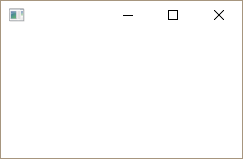
public class WhiteStage extends Application {
    @Override
    public void start(Stage primaryStage) throws Exception {
        primaryStage.show();
    }
}
public class Launcher {
public static void main(String[] args) {
Application.launch(WhiteStage.class, args);
}
}
Hello World
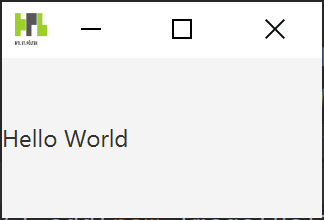
@Override
public void start(Stage stage) throws Exception {
    Label label = new Label("Hello World");
    Scene scene = new Scene(label, 160, 80);
    stage.setScene(scene);
    stage.show();
}
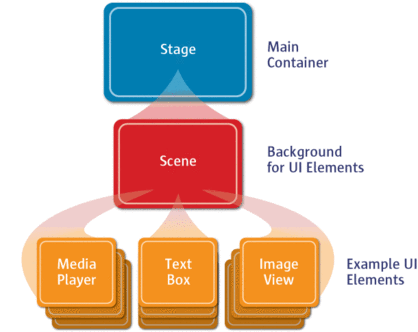
Hierarchie
GridPane
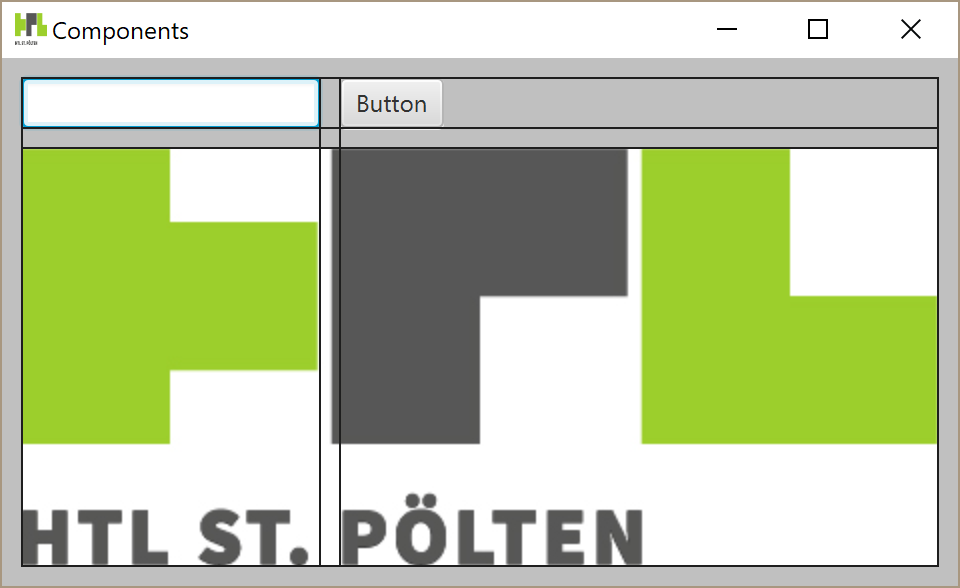
private void setupScene() {
    gridPane.add(textField, 0, 0);
    gridPane.add(button, 1, 0);
    gridPane.add(image, 0, 1, 2, 1);
    gridPane.setHgap(10);
    gridPane.setVgap(10);
    gridPane.setPadding(new Insets(10));
    gridPane.setStyle("-fx-background-color: #c0c0c0");
    gridPane.setGridLinesVisible(true);
}
Event
- Ausgelöst durch Interaktion mit GUI
- durch
element.setOnXXXwird ein Handler definiert
textField.setOnAction(new EventHandler<ActionEvent>() {
    @Override
    public void handle(ActionEvent event) {
        System.out.println(textField.getText());
    }
});
button.setOnAction(new EventHandler<ActionEvent>() {
    @Override
    public void handle(ActionEvent event) {
        System.out.println(event.getSource() + "clicked");
    }
});